Your backyard
for GitHub.
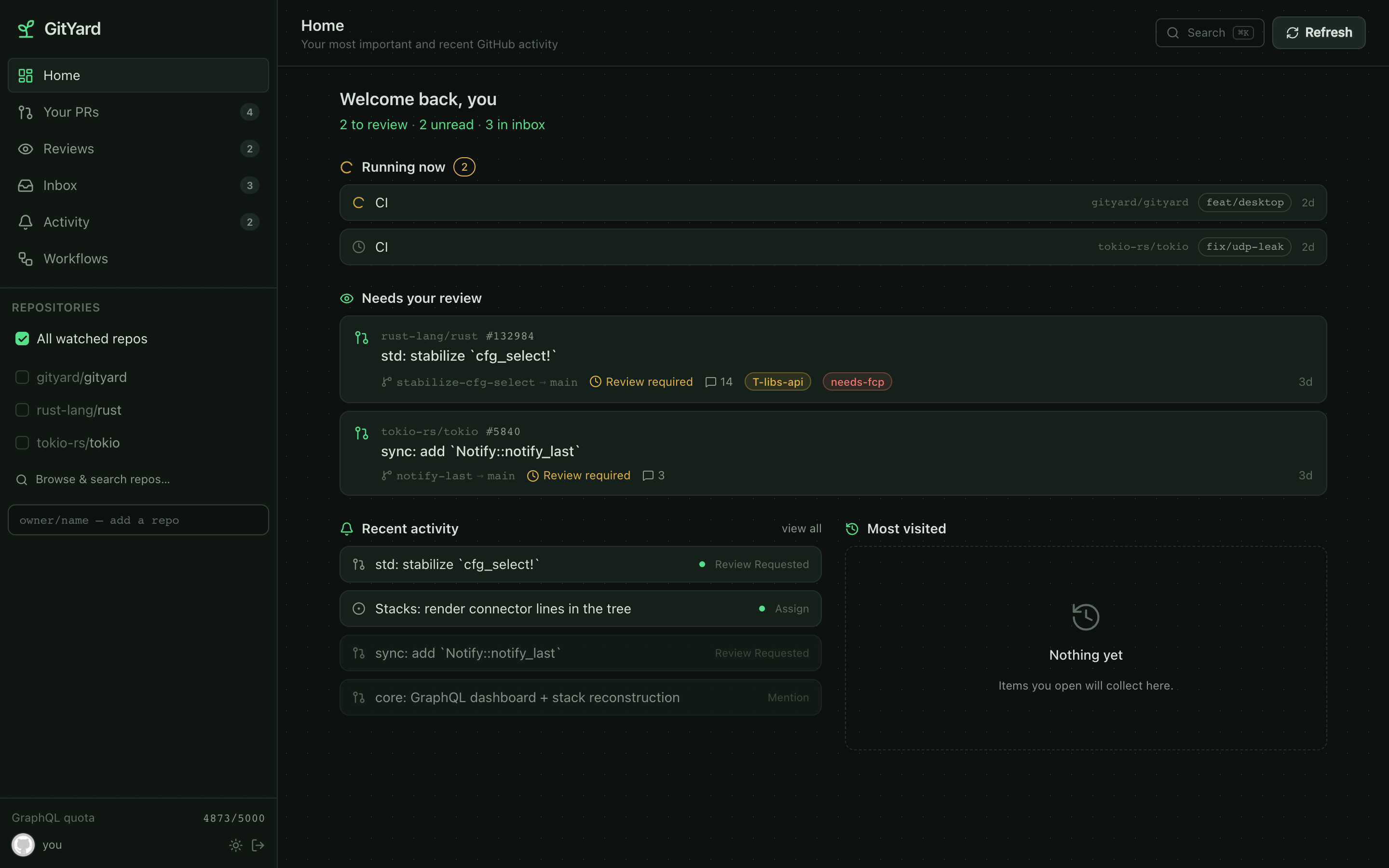
Reviews, mentions, assignments, stacked PRs, and live CI — across every repo you watch, in one fast, keyboard-driven dashboard.
One core, three front-ends
Reach it however you work
A single UI-agnostic Rust core powers all three — your data stays consistent everywhere.
Desktop
A native Tauri app for macOS, Windows & Linux. Token stays in your OS keychain.
Web
Self-host the same SPA over an Axum server with sign-in-with-GitHub.
TUI
Live in the terminal? A full Ratatui dashboard that signs in from your git credentials.
Everything in one place
Stop hopping between repos
GitHub scatters your work across notifications, PR lists and dashboards. GitYard pulls it together.
Review queue
Every PR waiting on your review, across all your repos — never miss a request again.
Stacked PRs
Dependent PR chains reconstructed from the branch graph — see what merges first.
Mentions & inbox
Assigned, @mentioned, tabbed and tidy — your personal GitHub inbox.
Live CI
What's running right now for your commits, branches and PRs — front and center.
Run workflows
Browse Actions and trigger workflow_dispatch with a form built from its inputs.
Command palette
⌘K to jump anywhere — repos, tabs, pull requests — with fuzzy search.
A closer look
Built for people who live in GitHub
Dense, fast, and keyboard-first — with a light or dark backyard.
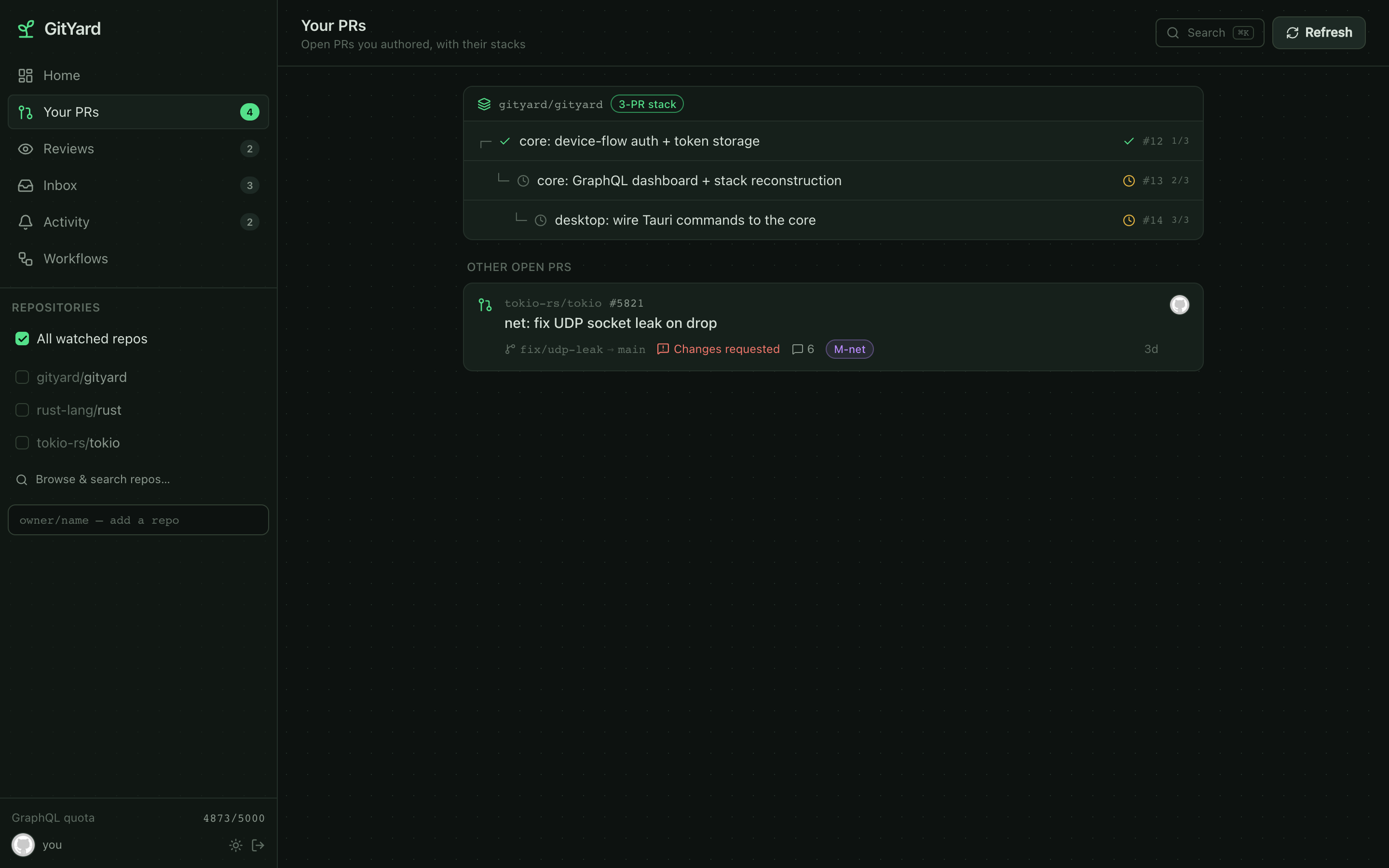
Your PRs, stacked
See dependent PR chains as trees, with "mergeable now" at a glance and a 2-of-4 position on every branch.
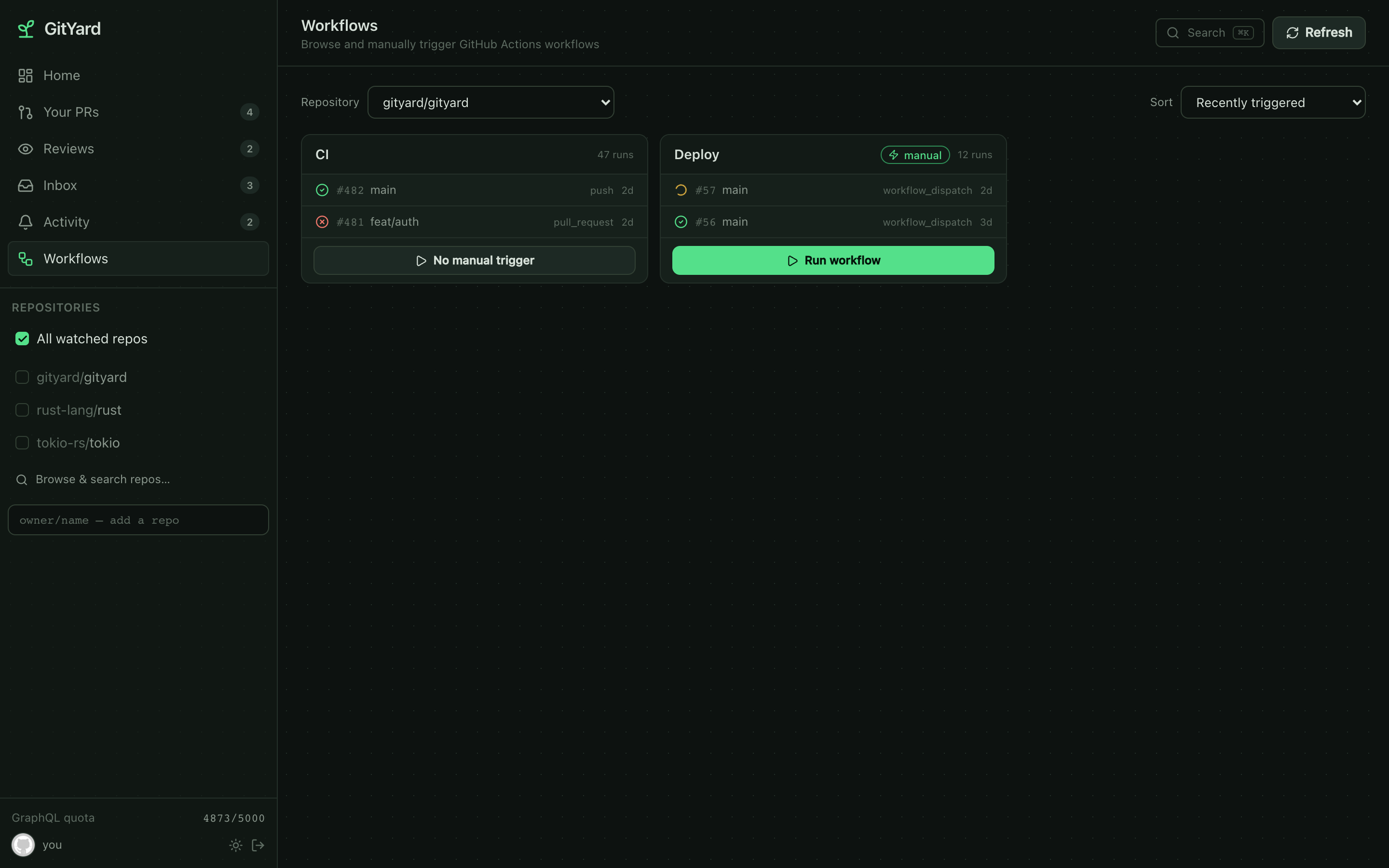
Trigger any workflow
A responsive grid of your Actions with recent runs, sortable, and a one-click dispatch modal — branch or tag, plus the workflow's own inputs.
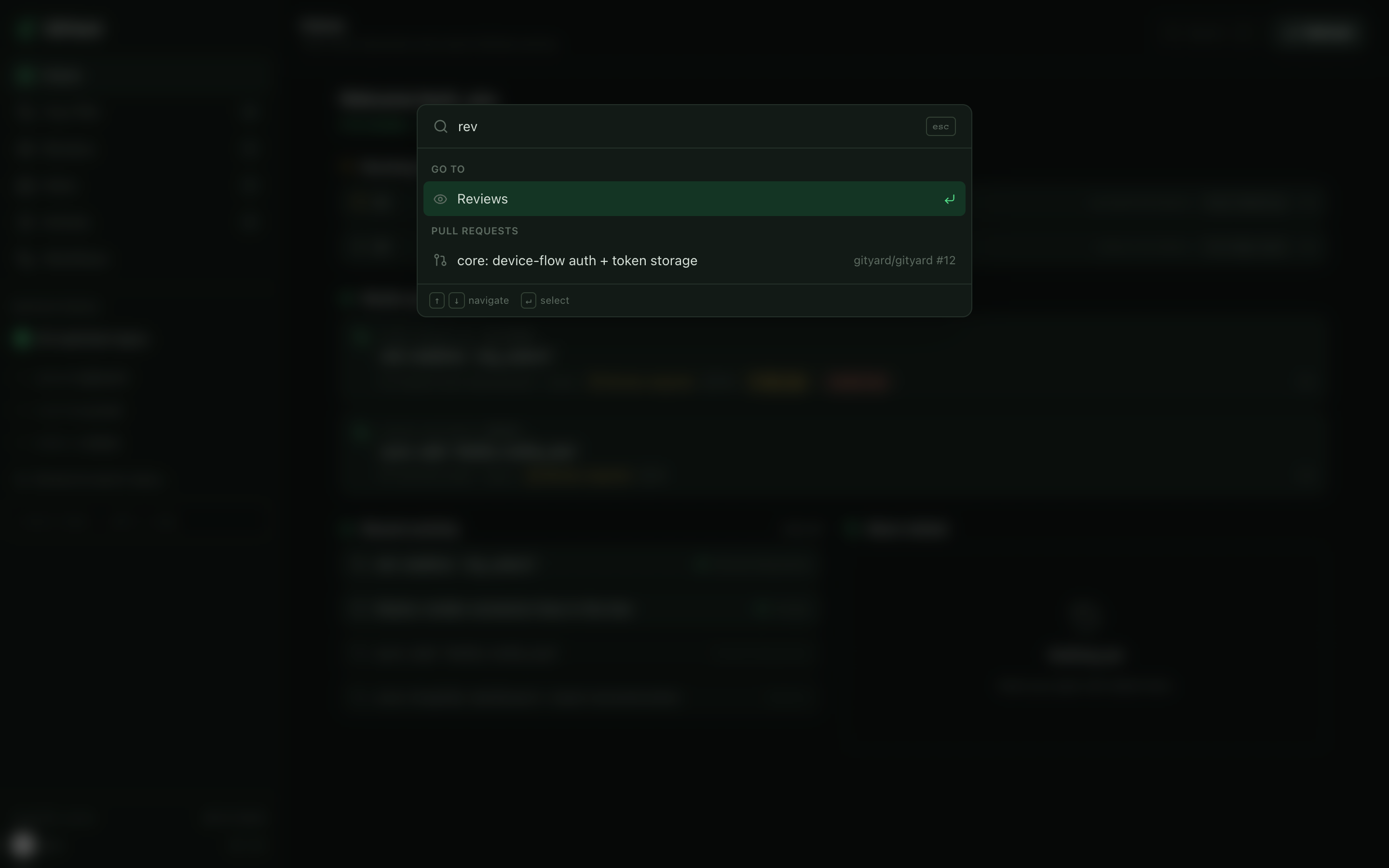
Everything, one keystroke away
The ⌘K command palette fuzzy-searches navigation, repos, actions and your open pull requests.
Get it running
Install
Native desktop apps for macOS, Windows & Linux — or the terminal UI in one line.
🍎 macOS desktop — .dmg
Universal (Apple Silicon + Intel). Unsigned for now — right-click the app → Open the first time.
curl -L -o gityard.dmg \
https://github.com/samishal1998/gityard/releases/latest/download/gityard-macos-universal.dmg
open gityard.dmg🪟 Windows desktop — installer
NSIS installer (x64). SmartScreen → More info → Run anyway.
irm https://github.com/samishal1998/gityard/releases/latest/download/gityard-windows-x64-setup.exe -OutFile gityard-setup.exe
.\gityard-setup.exe🐧 Linux desktop — AppImage
A portable desktop build — no system install required (also -arm64).
curl -L -o gityard.AppImage \
https://github.com/samishal1998/gityard/releases/latest/download/gityard-linux-x64.AppImage
chmod +x gityard.AppImage
./gityard.AppImage⌨️ Terminal (CLI/TUI)
macOS & Linux — installs the gityard binary to ~/.local/bin.
curl -fsSL https://raw.githubusercontent.com/samishal1998/gityard/main/scripts/install.sh | sh🪟 Windows — CLI (zip)
The terminal binary for Windows (PowerShell).
irm https://github.com/samishal1998/gityard/releases/latest/download/gityard-windows-x64.zip -OutFile gityard.zip
Expand-Archive gityard.zip
.\gityard\gityard.exe🔒 Verify checksums
Every release ships a checksums.txt.
# Linux
sha256sum -c checksums.txt
# macOS
shasum -a 256 gityard-macos-universal.dmgAll builds — Linux/macOS/Windows (x64 & arm64) — on the latest release page.
Plant your GitHub workflow.
Free & open source. Sign in with GitHub — no client secret, no install on your repos.